Run a full Linux desktop on Android without rooting your device
LinuxBox - Full Linux Desktop, from EXA Lab, turns Android devices into portable Linux workstations for learners and developers. The app installs full desktop environments such as KDE Plasma and XFCE and supports distributions like Ubuntu, Debian, and Kali Linux. It guides users with a simplified installation wizard and rootless operation, making a graphical desktop environment accessible on smartphones and tablets for development, security testing, or learning Linux on the go.
What does LinuxBox actually provide on an Android device?
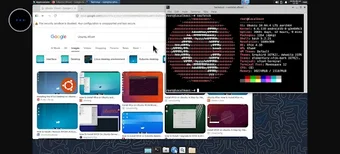
LinuxBox creates a complete desktop session by downloading a distribution root filesystem and launching a GUI session inside Android, so users can run desktop applications and command-line tools. The app lists supported distributions, including Ubuntu, Debian, and Kali Linux, and offers KDE Plasma and XFCE as desktop options. That means a user can open a file manager, a web browser, or development tools while staying within the Android environment.
Does LinuxBox noticeably impact device performance during a desktop session?
Performance depends on the chosen distribution and available storage because the app requires the distribution rootfs to be stored on the device. Running a full graphical desktop on limited hardware can increase CPU and memory use compared with lightweight terminal setups. Devices with more RAM and free storage will present fewer slowdowns; selecting XFCE rather than KDE Plasma reduces the graphical load and conserves resources.
Is LinuxBox safe and approachable for users without Linux or root experience?
The app operates without root permissions, so it does not modify system partitions or require elevated device access, which preserves device warranty and system integrity. A simplified installation wizard guides setup, making the process suitable for beginners who want a GUI instead of manual terminal methods. Experienced users can still access standard Linux shells and install additional packages inside the distribution.
Practical choice for mobile Linux work and learners with storage planning
LinuxBox is a practical option for students and developers who need a graphical Linux environment on Android, because it runs desktop sessions without root. Consider selecting a smaller desktop like XFCE or choosing a distribution with a compact rootfs to limit storage impact. Recommended. The app suits anyone needing a portable desktop environment while keeping the device system partition untouched.